
Translate your Intercom help center automatically
Connect Translate Desk with Intercom to translate articles in minutes. One-click publish, automatic formatting preservation, and syncing that keeps all languages aligned.
5 free translations. No credit card required.
Connect • Translate • Publish
Seamless integration with your Intercom help center
Everything you need for Intercom translation
Translate Desk is built specifically for Intercom help centers. Here's what you get:
One-click publish to Intercom
Review translations and push directly to your Intercom help center with a single click.
Integration resources
Get Translate Desk from the Intercom App Store and explore integration resources.
Translate Desk on Intercom App Store
Install Translate Desk directly from Intercom's App Store and start translating your help center articles automatically.
View on Intercom App StoreHow it works
Connect your Intercom account
Authorize Translate Desk to access your Intercom help center with a single click. We use Intercom's official API to read and write articles securely.
Built for Intercom
Everything works right out of the box. No more managing messy translation files or broken formatting.
Import your articles
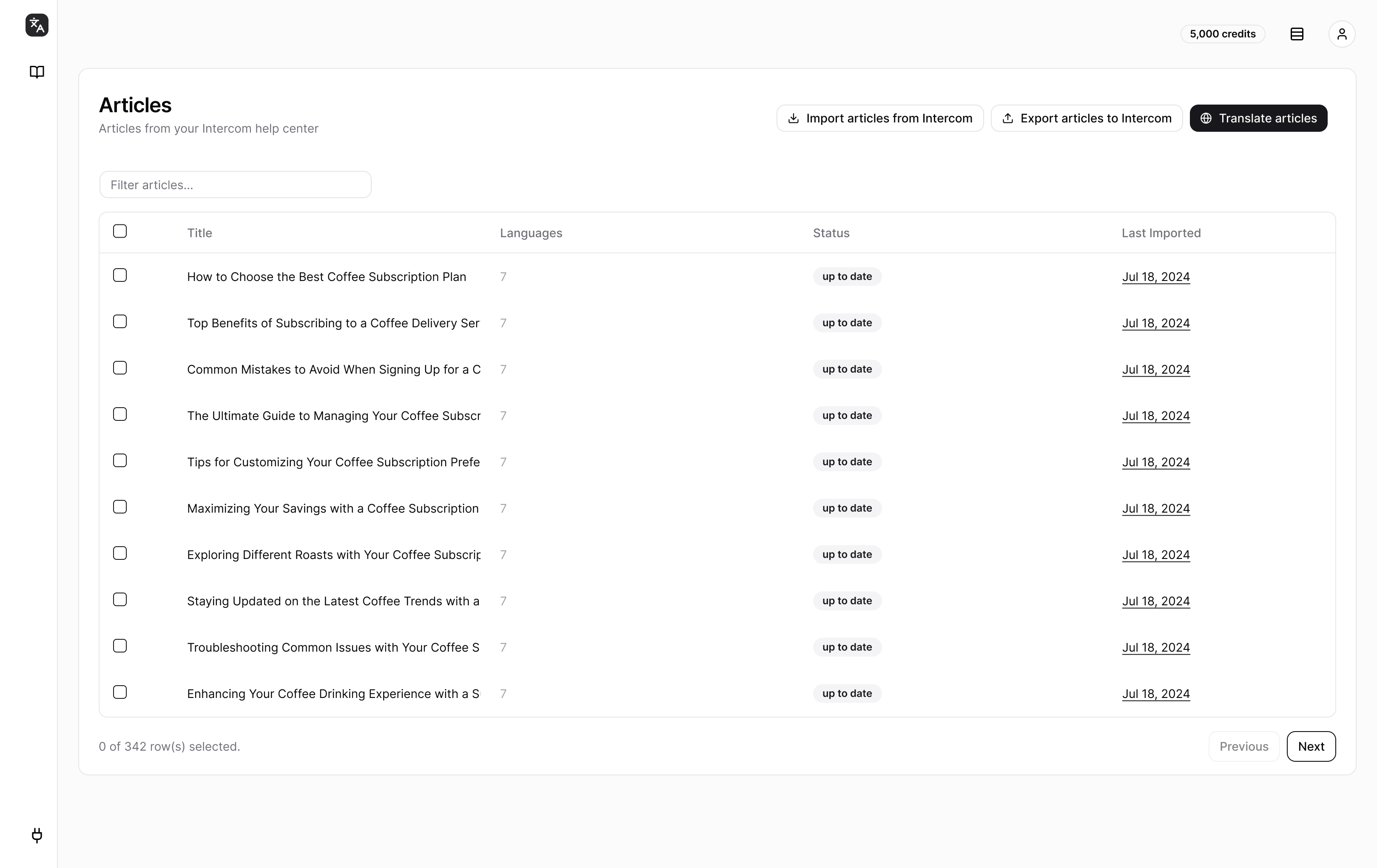
Translate Desk automatically imports all your help center articles. You can see them organized by collection, making it easy to translate specific sections.
Comfortable at any scale
Whether it's 10 or 10,000 articles, translate your entire help center without breaking a sweat.
Choose languages and translate
Select articles and target languages. Translate one article or your entire help center. Translations happen in minutes, not weeks.
Review and publish
Review translations in Translate Desk's interface. Edit any translation before publishing. When ready, push directly to Intercom with one click.
Keep translations in sync
Translate Desk monitors your Intercom workspace and highlights articles that need updates. Re-translate when source articles change to keep all languages aligned.
Easy to maintain
Effortlessly keep your help center up-to-date across all languages.
Deutsch
German
हिंदी
Hindi
Français
French
Português
Portuguese
Translate your entire help center in minutes
What used to take a week of work now takes a coffee break
30+
Languages
5 min
vs. 50+ hours manually
1 click
Intercom integration
Free
To try (5 articles)
What our customers say
"We translated our entire help center in an afternoon. It would have taken us weeks to do manually."
Sarah Chen
Head of Support
"The translation process actually surfaced insights about our content that we never noticed in Intercom itself."
Marcus Weber
Customer Success Lead
"Finally, a translation tool that actually understands Intercom. No more broken links or formatting issues."
Priya Patel
Support Operations
Common questions
Everything you need to know about the Intercom integration
Learn more
Explore guides and resources for translating your Intercom help center.
Ready to translate your Intercom help center?
Connect your Intercom account and translate your first articles in minutes. 5 free translations to get started.
No credit card required